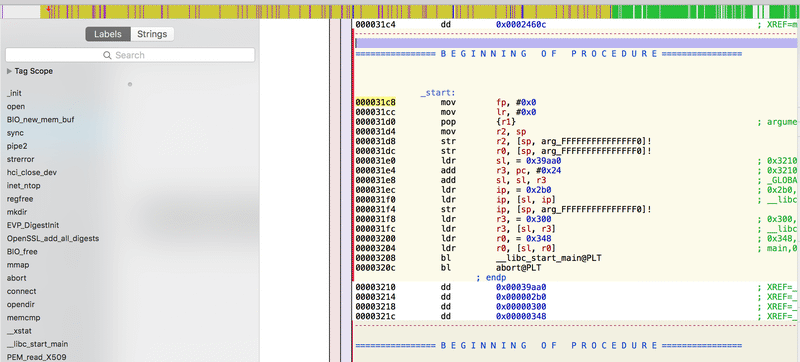
tldr; found Shopify POS Firmware, included hashed root Password, used some terminal magic to gather more information.
Background#
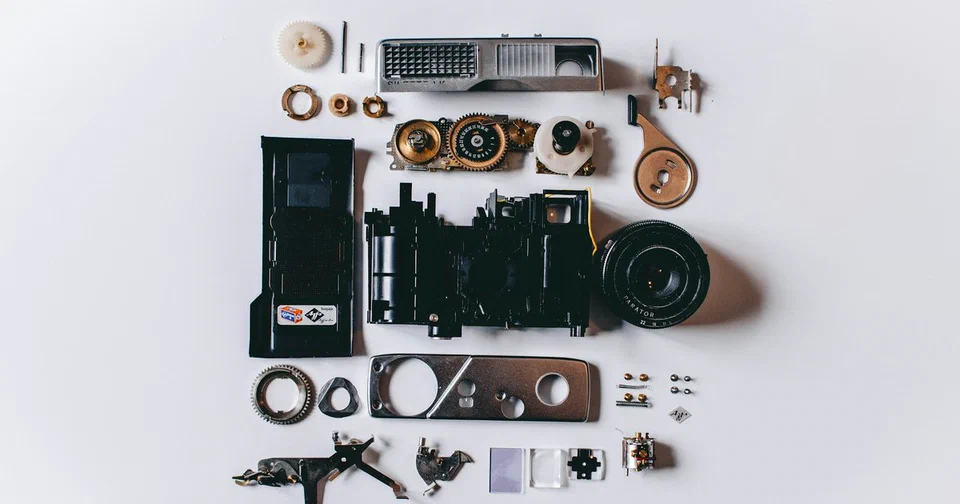
So this Blog post is about the Shopify POS Firmware I was able to analyze. You might wonder what on earth a POS is? A POS is a location where payment is accepted. Those devices look like this :

Easy as that. You swipe your credit card and sign it, and you’re done. So how did I discover this thing? So I was looking at Shopify’s Bug Bounty Program at HackerOne (Shopify Hackerone). One of the things that was actually in scope was their POS App for iOS.
DISCLAIMER: All Information below was submitted in a Responsible Disclosure Process to Shopify. The Shopify Security Team closed the report on HackerOne as Informative so I think it’s safe to publish.
Finding the bug#
So the test Scenario was like this, I installed the POS iOS Application, while looking at the requests being sent I found out there is one that looks like this : GET /admin/pos/firmwares.json, this request will issue a call to the Shopify server and get me back the content of the Firmware of the POS Device.
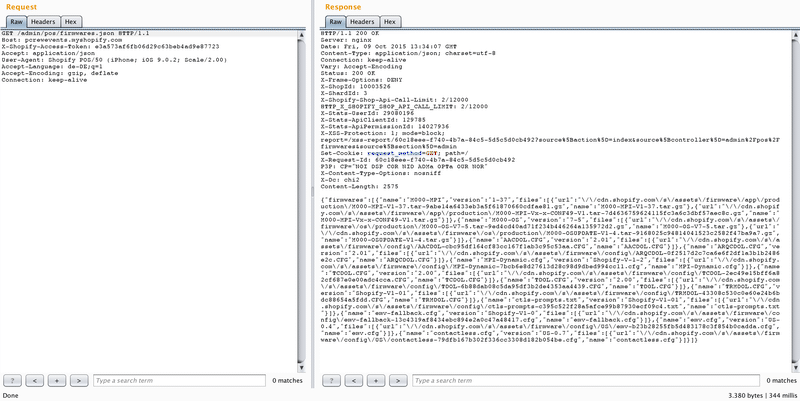
cdn.shopify.com/s/assets/firmware/config/emv-fallback-13c4319af8434ebc894e2a0c47a48417.cfg cdn.shopify.com/s/assets/firmware/app/production/M000-MPI-V1-37.tar-9abe14a6433eb3a5f61870660cdfae81.gz cdn.shopify.com/s/assets/firmware/app/production/M000-MPI-Vx-x-CONF49-V1.tar-7d4636759624115fc3a6c3dbf57aec8c.gz cdn.shopify.com/s/assets/firmware/os/production/M000-OS-V7-5.tar-9ed4cd40ad71f234b446264a135972d2.gz cdn.shopify.com/s/assets/firmware/os/production/M000-OSUPDATE-V1-4.tar-9168025c94814041523c2582f47ba9a7.gz cdn.shopify.com/s/assets/firmware/config/AACDOL-cbc95df164cf83cc167f1ab3c95c53aa.CFG cdn.shopify.com/s/assets/firmware/config/ARQCDOL-0f2517d2c7ca6e6f2df1a3b1b2486e2c.CFG cdn.shopify.com/s/assets/firmware/config/MPI-Dynamic-7bcb6e8d27613d28c98d9dbed994cc11.cfg cdn.shopify.com/s/assets/firmware/config/TCDOL-2ec49e15bff6a82cf687e0e00adc4cca.CFG cdn.shopify.com/s/assets/firmware/config/TDOL-6b88dab08c5da95df3b2de4353aa4439.CFG cdn.shopify.com/s/assets/firmware/config/TRMDOL-43308c530c0e60e24b6bdc88654a5fdd.CFG cdn.shopify.com/s/assets/firmware/config/ctls-prompts-c395c522f28a5afce99b87930ecf09c4.txt cdn.shopify.com/s/assets/firmware/config/emv-fallback-13c4319af8434ebc894e2a0c47a48417.cfg cdn.shopify.com/s/assets/firmware/config/production/US/emv-8065616e6244ffe5d83f2701b3e9c58f.cfg cdn.shopify.com/s/assets/firmware/config/production/US/contactless-681240ec707cba97232649622e135a95.cfg
Extracting the firmware#
So I went one step further and downloaded them all to my PC. In my test case I only looked at the tar.gz files because those seemed to insist the Firmware of the Device. From what I saw the M000-OS-V7-5.tar-9ed4cd40ad71f234b446264a135972d2.gz file was the biggest file and I guessed it could include the whole firmware. If you unzip it you will find a M000-OS-V7-5.mlf file. This file is a so called Miura Loader File that will be used for the boot Process of the Firmware. So the next thing I did was to run binwalk M000-OS-V7-5.mlf and I got the following output:
DECIMAL HEXADECIMAL DESCRIPTION
——————————————————————————–
9385 0x24A9 eCos RTOS string reference: “eCos : ”
186273 0x2D7A1 Unix home path string: “/home/astanton/workspace/RELEASE/Redboot/packages/redboot/curre”
192389 0x2EF85 Copyright string: ” (C) 2000, 2001, 2002, 2003, 2004 Red Hat, Inc.04 Red Hat, Inc.”
192449 0x2EFC1 Copyright string: ” (C) 2003, 2004, 2005, 2006 eCosCentric LimitedsCentric Limited”
192486 0x2EFE6 eCos RTOS string reference: “eCosCentric Limited”
210073 0x33499 Unix home path string: “/home/astanton/workspace/RELEASE/Redboot/packages/hal/arm/mx25/”
212065 0x33C61 Unix home path string: “/home/astanton/workspace/RELEASE/Redboot/packages/hal/arm/mx25/”
215149 0x3486D Unix home path string: “/home/astanton/workspace/RELEASE/Redboot/packages/hal/arm/mx25/”
216389 0x34D45 Unix home path string: “/home/astanton/workspace/RELEASE/Redboot/packages/hal/arm/mx25/”
218053 0x353C5 Unix home path string: “/home/astanton/workspace/RELEASE/Redboot/packages/hal/arm/mx25/”
225265 0x36FF1 eCos RTOS string reference: “eCos GDB stubs [via RedBoot] – built Sep 18 2014 / 17:47:58”
266566 0x41146 LZMA compressed data, properties: 0xC0, dictionary size: 16777216 bytes, uncompressed size: 32 bytes
506506 0x7BA8A gzip compressed data, maximum compression, from Unix, last modified: Thu Sep 18 16:48:30 2014
1550355 0x17A813 GIF image data
2105380 0x202024 JFFS2 filesystem, little endian
Carving the JFFS2 filesystem#
The interesting Part here is the JFFS2 Filesystem which is a Linux filesystem. Once you get at this Point you will need some terminal magic to extract that part out of the Firmware, to do so I used a Unix tool called dd:
dd if=M000-OS-V7-5.mlf of=fs.jffs2 skip=105269 bs=20 this will generate a file called fs.jffs2. In order to actually extract it I found another tool called sumtool. Sumtool is a utility that creates JFFS2 erase block summary images. With sumtool I’ve created a second file with the command „sumtool -l -i fs.jffs2 -o file.sum“. After this step I used a tool called jffs2dump.py with the command “python2.7 jffsdump.py file.sum.” At this Point the jffsdumper will copy all the files from the JFFS2 filesystem to my hard drive. Once I looked on the file structure I found out that they used an arm-none-linux-gnueabi-gcc Linux which is a special lightweight Linux for semiconductors. So you have a structure like this : bin dev etc home lastlog lib libexec mnt opt proc root sbin share sys tmp usr var
The root password hash#
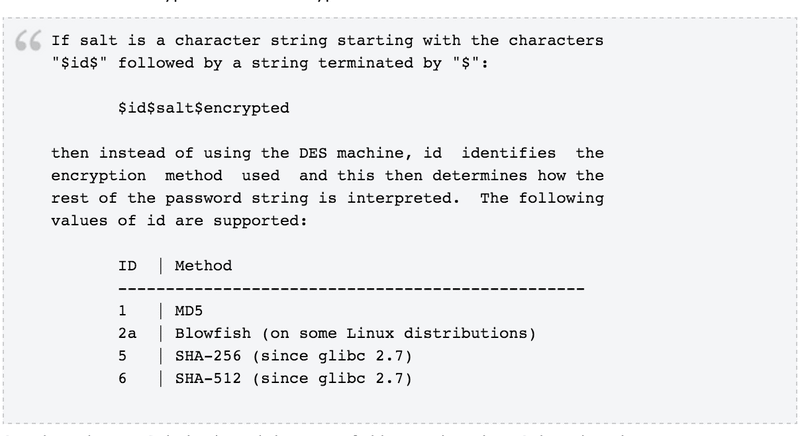
Which is pretty similar to every Linux out there. After digging into the files I discovered the /etc/passwd which revealed that there is a root user with the following permissions set: root❌0:0:root:/root:/bin/sh of course if you find the /etc/passwd there has to be a /etc/shadow which includes the hashed Password of the User. In this case the corresponding Password is stored salted and md5 hashed in the /etc/shadow file with the following value: root:$1$WWTl/62J$25eq8w6xQFhSUBpUbScRK.:11851:0:99999:7:::

Anyways it seems I reached a dead end here again – The next Part of this BlogPost will be about reversing the miura- files i found on the system, with (hopefully) good results
Stay tuned
Patrik Grobshäuser